How to Get White Background for Product Photos Without Photoshop
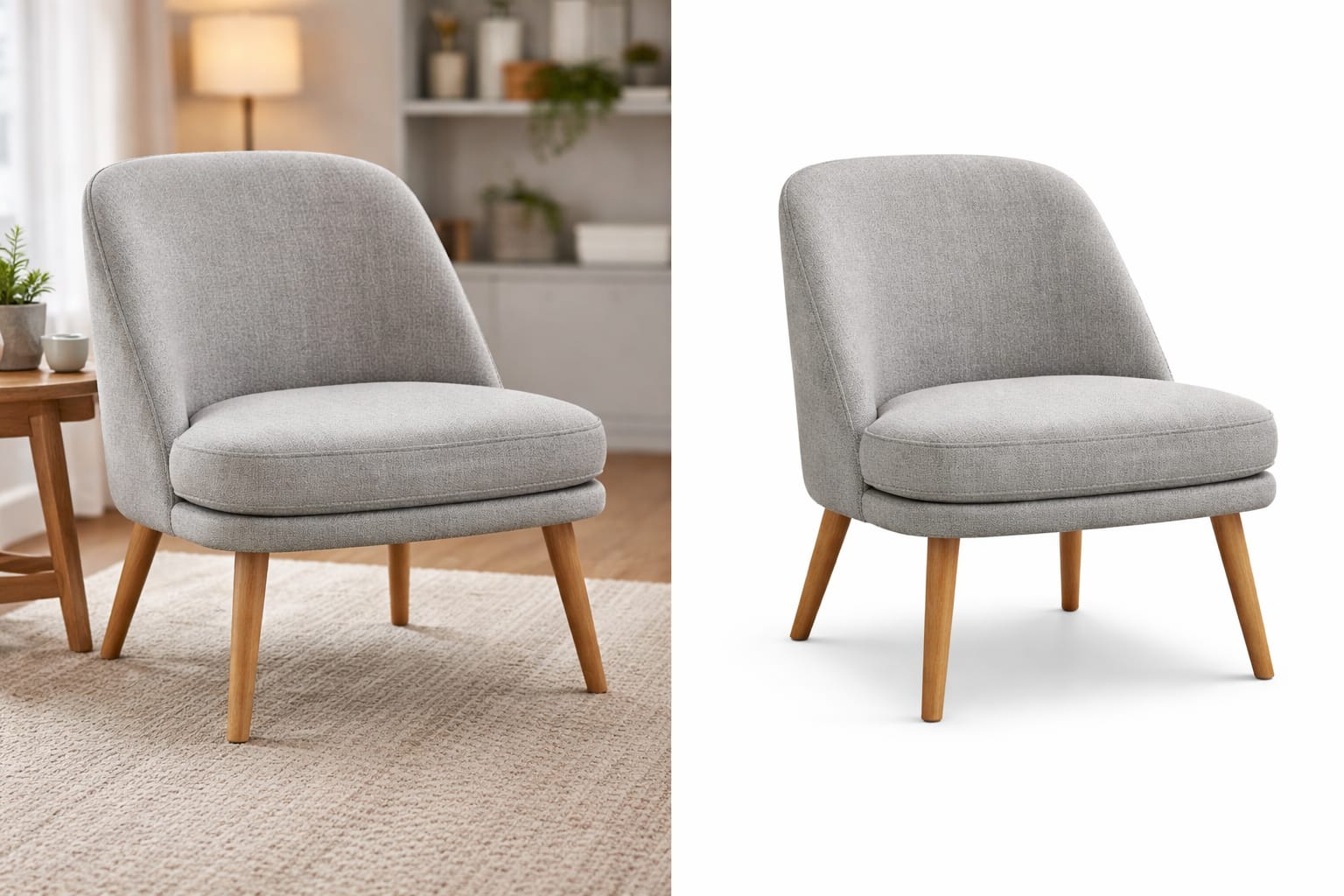
Clean, white backgrounds make product photos look trustworthy. They also help your listings meet marketplace guidelines.
The problem is, most people think you need Photoshop to get that result. You don’t. You can get a pure white background in minutes using simple online tools.
Why White Background Matters for Product Photos
A white background does a few important things:
- Removes distractions
- Makes the product stand out
- Looks consistent across listings
- Matches platform requirements (like Amazon)
If your background is messy or uneven, it directly affects how professional your product looks.
What You Actually Need (No Photoshop)
You don’t need complex editing software. You just need:
- A clear product image (good lighting helps)
- An online background remover (use SmartBGRemover)
- A way to place the product on a white background
That’s it.
Step-by-Step: Get White Background Without Photoshop
1. Upload Your Product Image
Open your tool and upload a clear image of your product.
Avoid dark or blurry photos.
2. Remove the Existing Background
The tool will automatically detect your product and remove the background.
If you’re new to this process, you can also check our guide on how to remove background from images online.
3. Add a Pure White Background
Once the background is removed:
- Choose a white background (#FFFFFF)
- Adjust brightness if needed
- Make sure there are no shadows or grey tones
4. Download the Final Image
Export your image in high quality (PNG or JPG).
Now your product is ready for upload.
Tips to Get Better Results
- Use natural lighting when taking photos
- Avoid complex or cluttered backgrounds
- Keep the product centered
- Use high-resolution images
- Check edges (especially around curves and transparent objects)
Small improvements here make a big difference.
Common Mistakes to Avoid
- Using low-quality or blurry images
- Leaving grey or off-white backgrounds
- Ignoring shadows that make the image look uneven
- Over-editing and losing natural look
Where You’ll Use These Images
White background product images are used in:
- Amazon listings
- Shopify stores
- Flipkart and other marketplaces
- Ads and product catalogs
If you’re selling online, this is not optional — it’s standard.
A Faster Way to Do It
If you want a quick and reliable way, use SmartBGRemover.
Upload your image, remove the background instantly, and place it on a clean white background — no Photoshop, no manual work.