Remove Background From Product Photos — Free, No Watermark
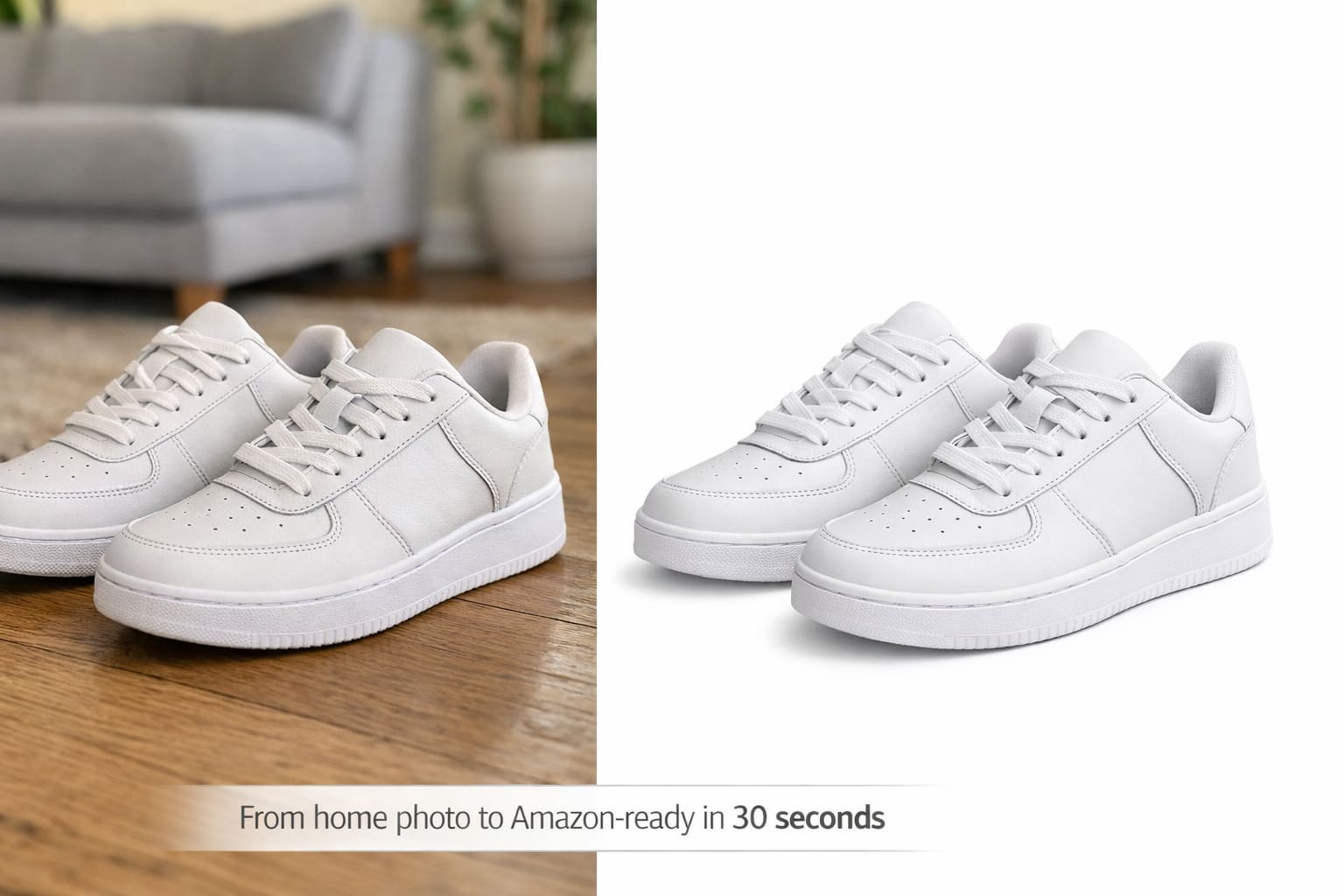
If you sell on Amazon, Etsy, or Shopify, your product photo is the first thing a buyer sees. A cluttered or dark background makes even a great product look cheap. Smart BG Remover removes the background from any product photo in 3 seconds — completely free, no watermark, no Photoshop, no experience needed. Upload your photo and download a clean white-background image ready to upload directly to your store.
If you sell products online, your photos do the selling for you.
And the number one rule on platforms like Amazon, Shopify, and Etsy? Your main product image must have a clean, white background — no clutter, no shadows, no distractions.
Most people don't have a photography studio. They shoot on a table, near a window, or on the floor. The result is a great product stuck on a messy background.
Learning how to remove the background from product photos is the fastest way to make your listings look professional — without spending money on a photographer.
Why Product Background Removal Directly Affects Your Sales
It's not just about following platform rules. Clean product images directly affect how many people click and buy.
When a shopper sees your product on a pure white background, their brain focuses entirely on what you're selling. No distractions. No confusion. Just the product.
Clean product images increase click-through rates, reduce return rates, and help buyers trust what they're purchasing.
On Amazon, a cluttered or off-white background on your main image can get your listing suppressed entirely.
What Amazon and Shopify Require for Product Images
Before you edit anything, know the rules:
Amazon:
- Pure white background — RGB 255, 255, 255
- Product must fill at least 85% of the frame
- No watermarks, logos, or extra text on the main image
- JPEG or PNG, minimum 1000px on the longest side
Shopify:
- White or light neutral background preferred
- Consistent background across all product images
- Square 1:1 format recommended
- Minimum 2048 x 2048px for zoom to work properly
Most photos taken at home fail these requirements. Background removal fixes that instantly.
Step-by-Step: How to Remove Background from Product Photos
Step 1 — Photograph your product smartly. Place your product on a flat, light-colored surface near a window. Even white paper or a white foam board behind the product will make AI removal faster and cleaner.
Step 2 — Open SmartBGRemover Go to SmartBGRemover.com. No account needed. No software to install. Works on desktop and mobile.
Step 3 — Upload your product photo Drag and drop or click to upload. JPG and PNG both work. The AI will start processing immediately.
Step 4 — AI removes the background in seconds The tool automatically detects your product and strips out everything behind it — including shadows, floors, and walls. No manual selection needed.
Step 5 — Check the edge Look around the product edges. For most product shots, the result is clean and ready. If you spot a small issue, use the touch-up brush to fix it in seconds.
Step 6 — Download your clean image For Amazon — download as JPEG with a white background.For Shopify — download as PNG (transparent) or white background JPEG.Resize to at least 1000px before uploading to your store.
Tips for Even Better Product Photo Results
- Shoot on a light surface — dark wood or colored tables make background removal harder and can leave edge artifacts
- Use even lighting — uneven shadows confuse AI detection and leave ghosting around edges
- Keep your product fully in focus — blurry edges are the hardest thing for any AI to remove cleanly
- One product per photo — a single clear subject always gives more accurate results
- Avoid glass-on-glass shots — reflective products on reflective surfaces confuse the AI model
Who This Is Most Useful For
Amazon and Shopify sellers shooting products at home get the most value. No studio needed — just your phone and SmartBGRemover.
Etsy sellers who photograph handmade goods in natural settings can keep the great lighting but swap out the background.
Dropshippers who receive messy supplier images can clean them up before adding to their store — in seconds.
Freelance product photographers can process client image batches much faster than doing it manually in Lightroom.
Social media managers can create multiple background variants of the same product for ads, stories, and posts quickly.
Try It Free on SmartBGRemover
SmartBGRemover is built for exactly this — fast, clean product photo background removal with no watermarks and no signup required.
Upload your product image, let the AI do the work, and download a white-background image that's ready to upload directly to Amazon or Shopify.
No Photoshop. No design skills. No subscription.