Profile Picture Background Remover — Free & Instant AI Tool
Remove profile picture backgrounds instantly with AI for sharp, studio-quality portraits
Drag & drop your image here
Supported: JPG, PNG, WebP • Max 10MB
Try one of these images





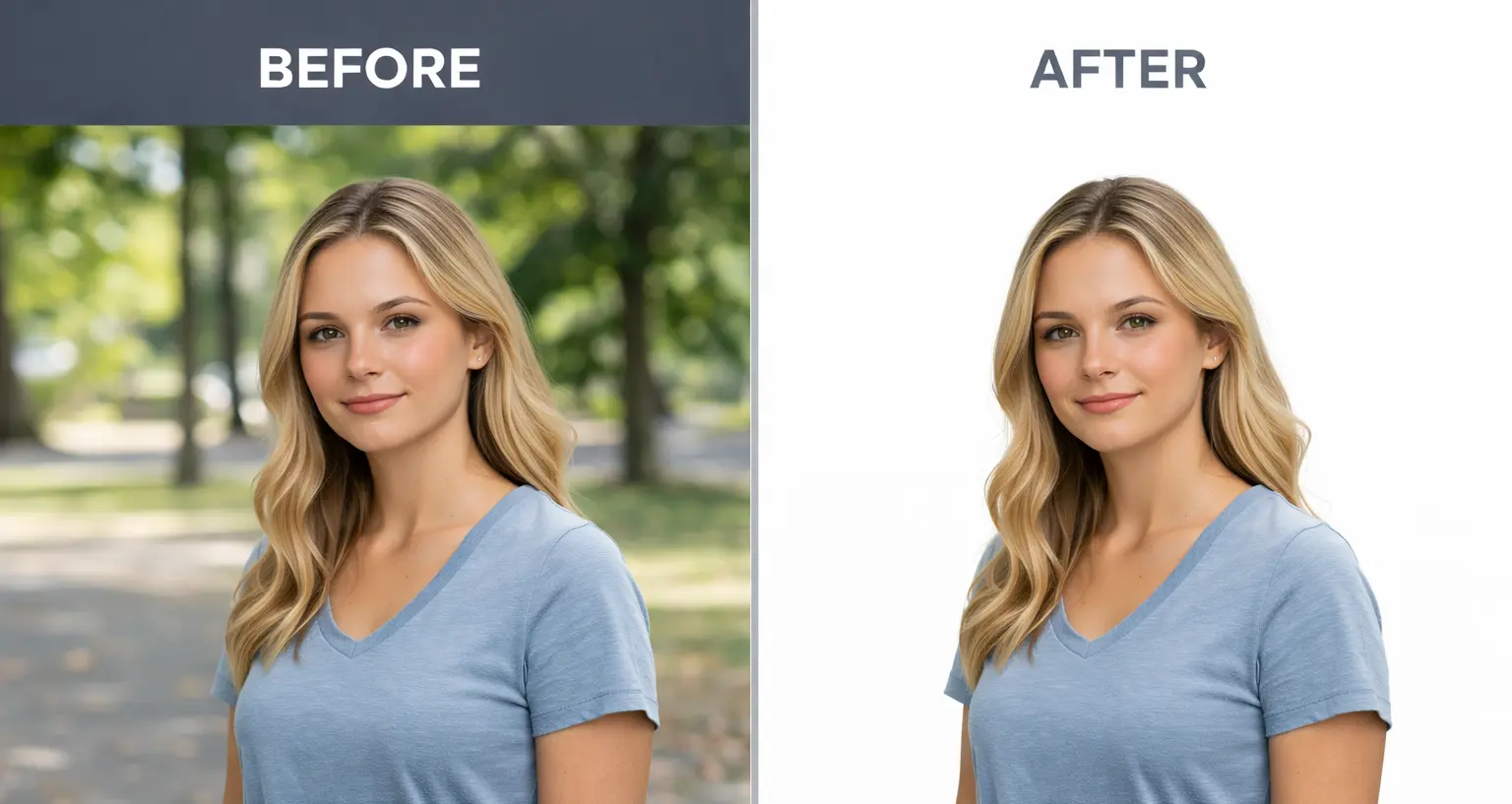
Image Transformation Preview
Watch your images transform with one click


Clean Profile Photos with Smart Background Removal
A clean profile picture background makes a strong first impression. This feature helps you remove background from profile photos while keeping your face clear and natural. The result looks neat, balanced, and ready to use anywhere.
You don’t need editing skills or extra steps. Upload your photo, and the background is removed in moments. What’s left is a sharp portrait that keeps details like hair and facial edges intact.
This works well for social profiles, resumes, and business pages. It helps your profile picture look focused and professional. Perfect when you want a simple upgrade without spending time on manual edits.
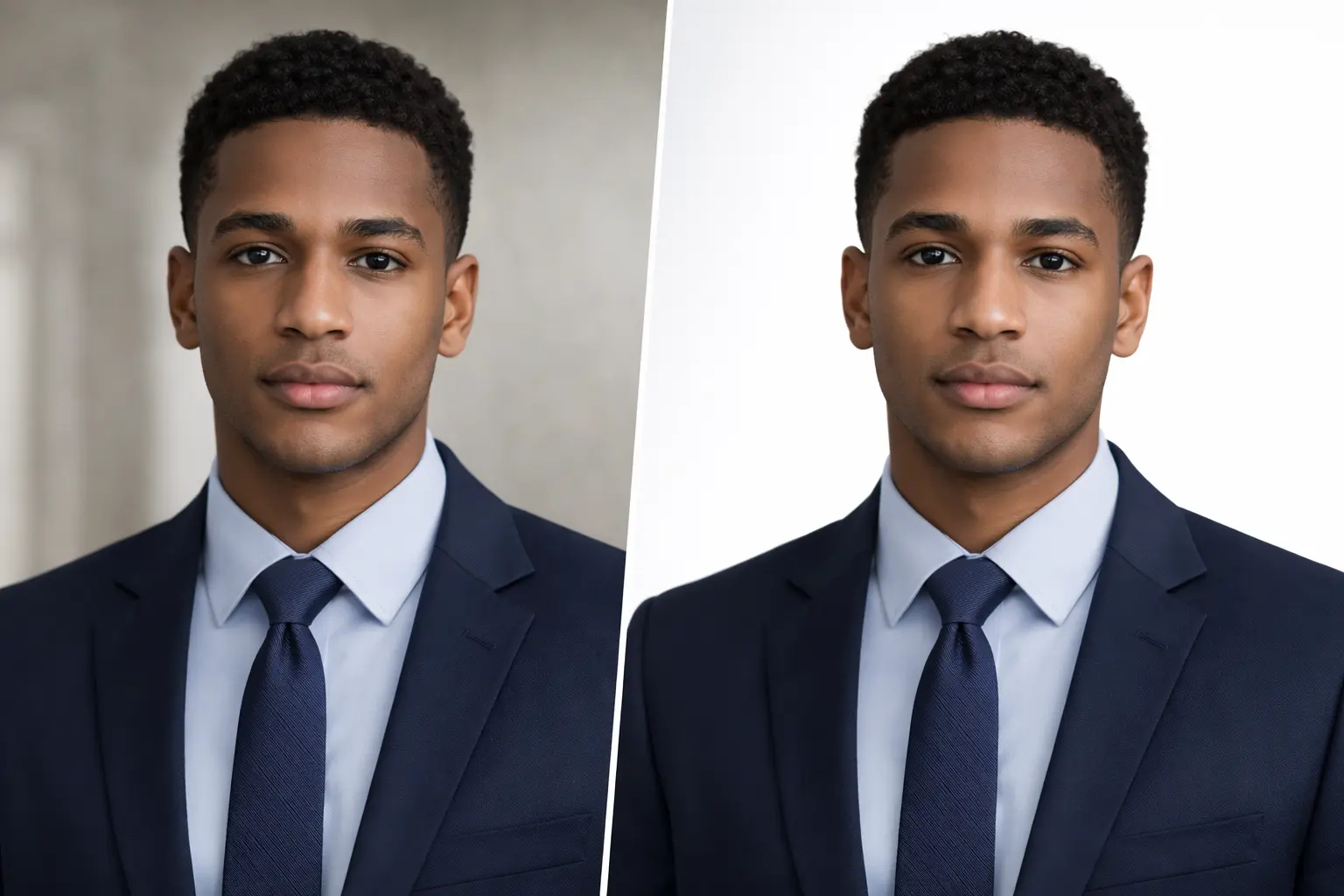
Sharp Profile Photos with Natural Background Removal
This feature helps you remove background from a profile photo while keeping the face clear and natural. Small details like hair edges and face shape stay intact. The result looks clean, not edited or artificial.
It works well with both mobile and high-quality images. Even casual photos can turn into strong profile photos without extra editing. You get a balanced look that feels simple and professional.
Use it for business profiles, social media, dating apps, or personal branding. A clean photo remove background effect keeps the focus on you, not the surroundings. It helps your profile photo look confident and trustworthy.
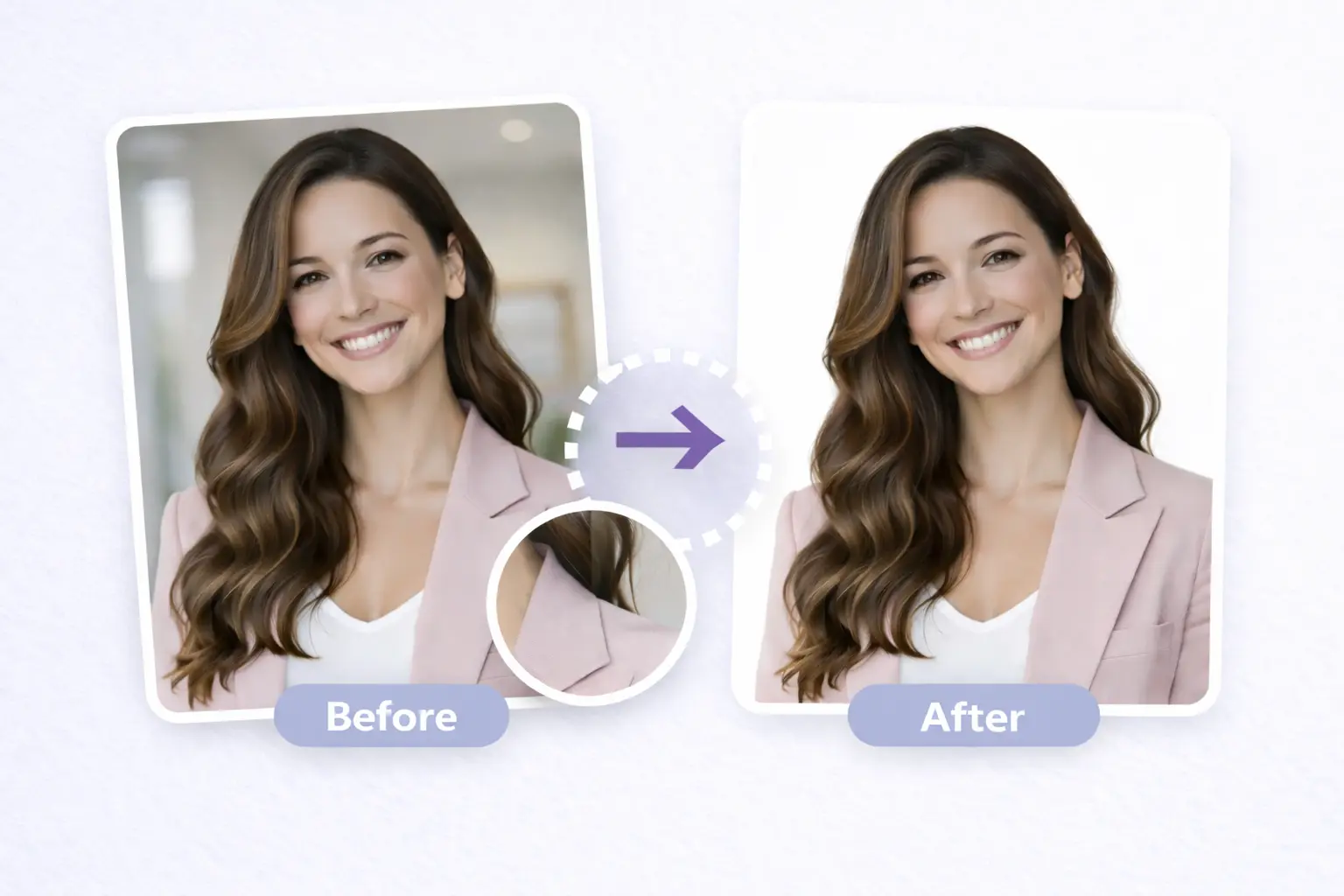
Professional Profile Pictures Without Effort
This background reover ai tool helps you remove unwanted backgrounds and keep the focus on your face. Your profile photo looks clean, sharp, and ready for social platforms.
You can try different photos quickly and see results right away. This makes it easy to choose the image that fits your style and personality.
A clear profile picture builds trust and makes a strong first impression. It’s a smart choice for creators, professionals, and anyone who wants to look confident online.
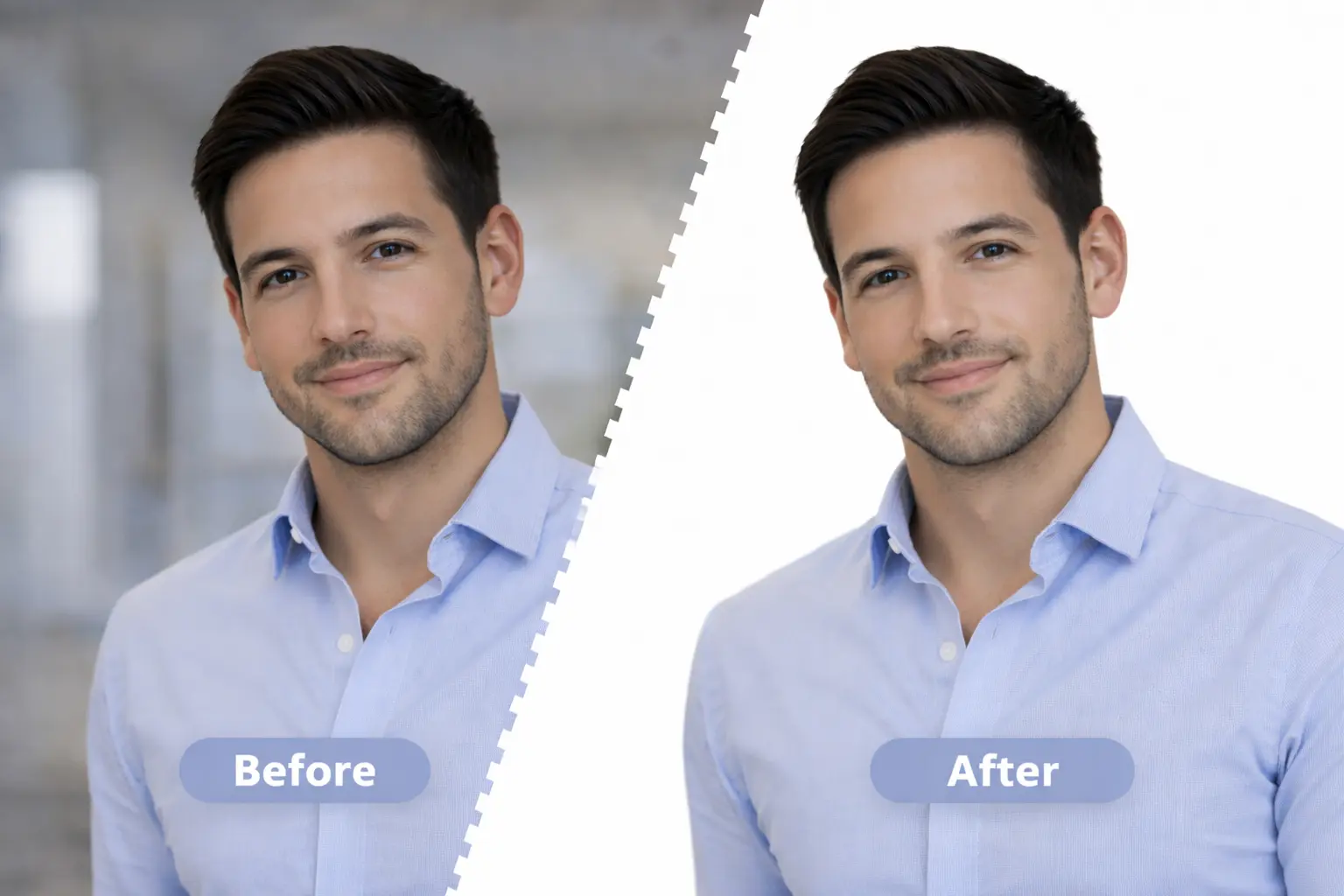
Clean Cut Profile Photos with Transparent Backgrounds
Once you remove background from image, you can save your profile photo with a transparent background. This makes it easy to place your photo on any color, layout, or custom design without extra work.
The bg remove process keeps edges smooth and details sharp. Your image stays clear and professional on websites, social profiles, thumbnails, and banners.
This is useful for creators, professionals, and personal brands who want a consistent look everywhere. It saves time and gives you full control over how your profile image is used across platforms.
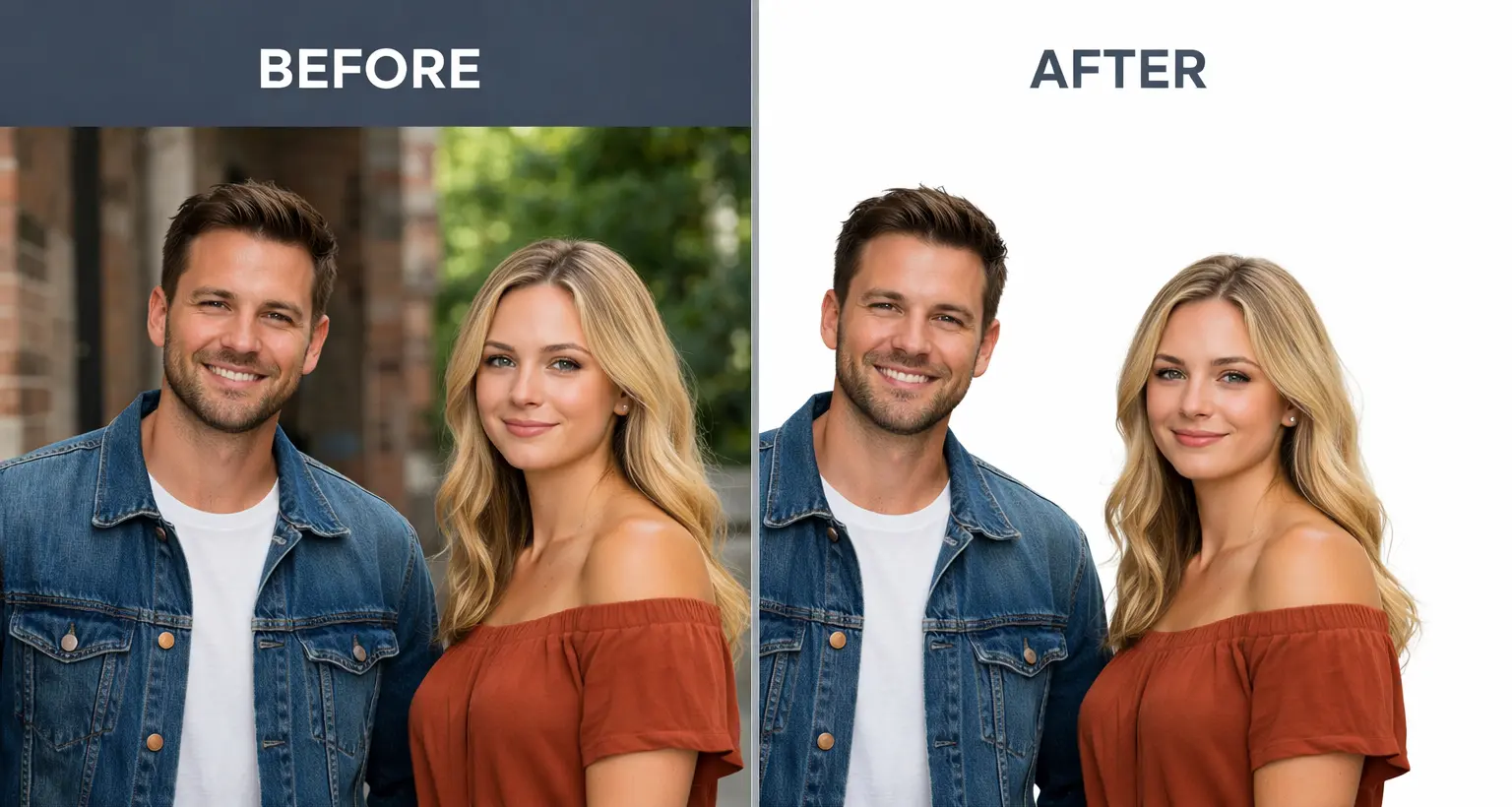
Simple Photo Background Remove for Profile picture
This feature lets you remove the background from a profile photo directly on your phone or tablet. You can clean up selfies or profile pictures without waiting to use a computer. It works smoothly in any modern mobile browser.
The steps are simple and clear. Upload your photo, let the background remove process run, and download the final image in seconds. No apps, no sign-ups, and no confusing tools.
TIt’s useful for social media profiles, student IDs, work accounts, and personal branding. Anyone can create a neat and focused profile image with photo background remove tools that work anywhere. You get clean results without effort or technical knowledge.
Background Remover FAQs
Quick Help Before You Click Upload
It removes distracting elements, highlights facial features, and creates a clean, professional look ideal for social media, resumes, and business profiles.
Yes, the AI background remover works well with selfies and optimizes them for platforms like LinkedIn, Instagram, and other social networks.
The tool is designed to preserve fine details such as hair strands, edges, and skin tones for a natural and realistic portrait finish.
You can remove backgrounds online without installing software, making it a convenient and accessible solution for quick profile photo editing.
Yes, you can export your edited image with a transparent background, perfect for graphic design, branding, and custom profile layouts.
Testimonials
What Our Users Say
I save so much time editing my product images. This tool is a total game-changer for background remover online!

Rachel, UK
E-commerce seller
The AI background remover is shockingly accurate. It handles the trickiest edges—hair, shadows—with ease.

Peter, Singapore
Content creator
Fast, free, and simple — exactly what I needed to remove background from image for my social media graphics.

Alex, LDN
Social media manager
This automatic background eraser makes all my thumbnails look clean and professional without needing Photoshop.

Sarah, NYC
YouTuber & designer
I use it daily for my Etsy shop. The consistent, clean results from the transparent background tool keep my product catalog sharp.

Michael, Toronto
Etsy shop owner
This app has helped me understand how AI background remover tools can actually simplify my creative process.

Emma, Sydney
Freelance photographer
I needed clean product photos for my online store and this tool saved me hours. No Photoshop, no hassle — just upload and done.

David, Berlin
Online store owner
I use SmartBGRemover for all my Instagram posts. The edges come out so clean, even with curly hair. Totally free and no watermark — love it.

Lisa, Amsterdam
Instagram creator
I save so much time editing my product images. This tool is a total game-changer for background remover online!
Rachel, UK
E-commerce seller
The AI background remover is shockingly accurate. It handles the trickiest edges—hair, shadows—with ease.
Peter, Singapore
Content creator
Fast, free, and simple — exactly what I needed to remove background from image for my social media graphics.
Alex, LDN
Social media manager
This automatic background eraser makes all my thumbnails look clean and professional without needing Photoshop.
Sarah, NYC
YouTuber & designer
I use it daily for my Etsy shop. The consistent, clean results from the transparent background tool keep my product catalog sharp.
Michael, Toronto
Etsy shop owner
This app has helped me understand how AI background remover tools can actually simplify my creative process.
Emma, Sydney
Freelance photographer
I needed clean product photos for my online store and this tool saved me hours. No Photoshop, no hassle — just upload and done.
David, Berlin
Online store owner
I use SmartBGRemover for all my Instagram posts. The edges come out so clean, even with curly hair. Totally free and no watermark — love it.
Lisa, Amsterdam
Instagram creator